15 Apple Watch Hacks Every User Must Know

15 Apple Watch Hacks Every User Must Know

Apple offers a secure and smooth ecosystem and exclusivity with all its products. Popular choices include the Apple Watch Series 8 and Apple Watch Series 9 because of its feature-rich OS. However, there are many built-in features in an Apple Watch that most people overlook because they focus on just the popular ones. These are elements that could otherwise help improve the user experience. Here are 15 such hacks every Apple Watch user must know.

Unlock the iPhone
Users can unlock their iPhones through their Apple Watch. To use it, one needs to open the iPhone and go into “Face ID & Passcode,” located under “Settings.” Once they enter their passcode, the user must scroll down until they find “Unlock with Apple Watch” and turn the settings on.

Use the basic calculator
The Apple Watch Series 8 and Apple Watch Series 9 come with a feature that enables basic calculations. Users must go to the Calculator app on the watch to get the job done.

Take screenshots
To use this, one has to open the Watch app on their iPhone and activate “Enable Screenshots” via the “General” tab. The individual can then take a screenshot on the Apple Watch by pressing the side button and the digital crown simultaneously.

Use the handwashing timer
Individuals can activate the hidden “Turn on the Handwashing Timer” feature listed under “Handwashing” in “Settings.” Doing so will ensure that, when an individual washes their hands, the watch reminds them to keep scrubbing for 20 seconds.

Monitor heart rate
One could keep track of their heart rate on their Apple Watch. To do this, the individual must open the “Health” app on their Apple iPhone, then go to “Browse,” “Heart,” to “Electrocardiograms (ECG).” Here, they must access the toggle called “Set up ECG App.” While this could help take an ECG, one should note that it is not a replacement for a proper health diagnosis by a cardiologist.

Control the Apple TV
To activate this feature, one needs to open the Remote app on the Apple Watch and tap on Apple TV (add the Apple TV if required). Next, they must select it on the Apple TV settings, enter the displayed passcode on the Apple Watch, and once the pairing icon appears, the smartwatch will be able to control the Apple TV as long as it is on the same Wi-Fi network.

Keep water away
Users can take measures to improve the Apple Watch’s water resistance by activating the Water Lock feature under “Control Center,” which can be identified by its water drop icon. When active, the feature prevents the Apple Watch from responding to accidental input while in water.

Turn off the unread notifications LED
A red LED on the Apple Watch usually comes on if there is one or more unread notifications on a smartphone. One can hide this light by opening the Apple Watch app on their iPhone and tapping “Notifications,” where they will find the toggle to turn off the Notification Indicator.

Create favorite timers
Most individuals miss out on the hidden “Favorites” feature in the Timer app on their smartwatch. One can use the tab in the Timer app to create a list of favorite timers on the Apple Watch.

Improve battery health
The Apple Watch series supports optimized battery charging since watchOS 7. While the feature is enabled by default, one should know how to check for it. The individual must open “Battery Settings” and select “Battery Health.” Here, they can toggle on the “Optimized Battery Charging.”

Use low-power mode
To activate Low Power Mode, one needs to swipe up to open “Control Center” on the Apple Watch, tap the bubble that shows the battery percentage, and toggle to Low Power Mode. An individual can turn the feature on for one, two, or up to three days.

Control the Apple Watch with hand gestures
One can activate this feature by opening the “Watch” app on the iPhone and clicking “Accessibility” from the menu on the “My Watch” tab. Next, the user must click “Assistive Touch” from the “Motor” menu and toggle it on. Lastly, one should click “Hand Gestures” from the “Inputs” menu and toggle it on. Doing so will give users access to select gesture navigations.

Change digital crown orientation
Users can switch the orientation of the digital crown on their smartwatch. Under general settings on the Apple Watch, one must select “Orientation” and select left or right based on which way they want the Apple Watch digital crown to face. This could help users, considering that everyone might wear the watch on their left or right hand.

Hop onto a group Facetime
Apple Watch devices can engage in group FaceTime. This is a new feature bundled with watch OS10 that lets one engage in a Group FaceTime audio-only call with up to 32 people. Each time another participant speaks, their photo will expand in the watch view.

Keep apps open longer
The Apple Watch Series 8 and the Apple Watch Series 9 are set, by default, to return to the clock or watch face from an app after two minutes from when the individual lowers their wrist or leaves the watch idle. Those who need the app to open longer could go to general settings on the smartwatch and select “Return to Clock.” Change the toggle from “Always” or “After 2 minutes” to “After 1 hour.” Alternatively, one could also scroll down and customize the return to clock setting for each individual app downloaded on the Apple Watch.

Featured Articles

10 Ways to Spot and Report Tinder Bots
Open-Records

10 Ways to Spot and Report Tinder Bots

Using dating apps can be exciting, but fake profiles continue to be a common problem on platforms like Tinder . Some bots simply promote spam links, while others attempt to steal personal information or push financial scams. As fake accounts become more advanced, it becomes harder to tell the difference between a real match and an automated profile. The good news is that many Tinder bots still follow recognizable patterns. Learning how to identify those warning signs can help you avoid scams, protect your privacy, and enjoy a safer online dating experience. 1. Watch for Profiles That Look Too Perfect One of the easiest ways to spot a Tinder bot is by examining the profile itself. Fake accounts often use highly polished photos that look more like professional modeling shots than everyday pictures. You may notice: Only studio-quality images No casual photos with friends or family Very limited profile information Generic bios with little personality Most real users include a mix of photos and details about hobbies, work, or interests. If a profile feels overly curated or unusually vague, proceed carefully. 2. Pay Attention to Extremely Fast Replies Bots often respond almost instantly after matching. While some people genuinely reply quickly, automated systems tend to answer within seconds every time.
Why Background Check Red Flags Matter More Than You Think
Open-Records

Why Background Check Red Flags Matter More Than You Think

Hiring the right employee involves more than reviewing a polished resume or conducting a strong interview. Employers also need to understand whether a candidate presents any potential risks to the organization, team, or customers. That is where background checks play an important role. A background check can reveal information that may not come up during the hiring process. While not every issue is a dealbreaker, certain red flags deserve closer attention. Ignoring them can lead to financial loss, workplace safety concerns, legal problems, and damage to company culture. Understanding these warning signs helps employers make informed hiring decisions while maintaining fair and compliant hiring practices. What Is a Background Check Red Flag? A background check red flag is any finding that raises concerns about a candidate’s honesty, reliability, qualifications, or behavior. These issues can appear in criminal records, employment history, education verification, credit reports, or professional license checks. A red flag does not automatically mean someone should lose a job opportunity. Context matters. Employers should evaluate whether the issue is relevant to the position and whether the candidate has addressed it responsibly. Still, some warning signs require serious attention because they may indicate larger patterns of risk. Why Employers Take Red Flags Seriously Hiring mistakes can be expensive.
Why Landlords Should Always Screen Tenants
Open-Records

Why Landlords Should Always Screen Tenants

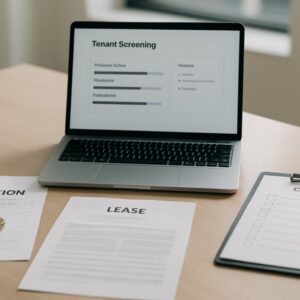
Finding the right tenant can make property ownership far less stressful. A reliable renter pays on time, respects the property, and follows lease terms. On the other hand, a problematic tenant can create financial losses, legal issues, and ongoing frustration. That is why tenant screening remains one of the most important steps in the rental process. Whether you own a single-family home, a duplex, or multiple apartment units, screening helps you make informed decisions before handing over the keys. It also gives you a clearer picture of a prospective tenant’s financial habits, rental history, and overall reliability. What Is Tenant Screening? Tenant screening is the process landlords use to evaluate potential renters before approving a lease application. The goal is to determine whether an applicant is likely to meet financial obligations and follow rental terms responsibly. Most screening processes include: Credit checks Criminal background checks Employment verification Income verification Rental history reviews Reference checks A thorough screening process helps landlords reduce risk while maintaining consistent standards for every applicant. Why Tenant Screening Matters Protects Your Rental Income Rental properties depend on consistent cash flow. When tenants miss payments or stop paying rent entirely, landlords still need to cover mortgages, taxes, insurance, and maintenance costs.
Role of Background Checks in Identity Theft Prevention
Open-Records

Role of Background Checks in Identity Theft Prevention

Identity theft continues to affect individuals, businesses, and financial institutions across the country. Cybercriminals use stolen personal information to open credit accounts, access bank details, apply for loans, and commit online fraud. As digital transactions become more common, the need for stronger identity protection measures has increased significantly. One effective strategy used by employers, landlords, financial organizations, and consumers is the background check. Proper background screening helps verify identities, detect fraud risks, and reduce the chances of identity theft before serious damage occurs. What is Identity Theft Identity theft occurs when someone steals personal information and uses it without permission for financial gain or fraudulent activity. Commonly targeted details include: Social Security numbers Bank account information Credit card details Driver’s license numbers Employment records Addresses and phone numbers Criminals often obtain this information through phishing scams, data breaches, fake job applications, or stolen documents. Victims may face financial losses, damaged credit scores, and lengthy recovery processes. What Are Background Checks? Background checks are verification processes used to confirm a person’s identity, history, and credentials. These checks help organizations identify inconsistencies, fraudulent records, or suspicious activity before approving employment, housing, financial services, or partnerships. Common Types of Background Checks Several types of screenings support identity verification and fraud prevention:

Top Articles

What Counts as Public Records?
Open-Records

What Counts as Public Records?

Public records play an important role in government transparency, legal processes, and everyday life. These records allow citizens to access certain types of information created or maintained by government agencies. Whether you are researching property ownership, conducting a background check, verifying court information, or tracing business records, public records can provide valuable insight. At the same time, many people misunderstand what “public records” actually means. Not every government document is open to the public, and access rules often vary by state and agency. Understanding which records are considered public can help you navigate the process more effectively while respecting legal and privacy boundaries. What Are Public Records? Public records are documents or pieces of information created, stored, or maintained by government agencies that members of the public can legally access. These records may exist at the: Federal level State level County level City or municipal level Public records laws are designed to promote accountability and transparency. In many cases, citizens can request records directly from government offices or access them through online databases. However, some records contain restricted or confidential information and may only be partially accessible. Why Public Records Exist Public records support transparency within government operations. They allow citizens, journalists, businesses, and legal professionals to review information connected to public activity.
Key Differences Between Free and Paid People Search Tools
Open-Records

Key Differences Between Free and Paid People Search Tools

People search tools have become go-to resources for reconnecting with lost contacts, verifying identities, or simply learning more about someone before a first meeting. Whether you’re a cautious renter vetting a new roommate or someone trying to track down a childhood friend, these tools promise quick answers. But not all search tools are created equal. The gap between free and paid options is wider than most users expect — and it matters. What Free People Search Tools Actually Offer Free people search platforms are accessible to anyone with an internet connection. They typically pull from public records, social media profiles, and open-source data repositories to surface basic information — a name, a general location, sometimes an employer or an estimated age range. The appeal is obvious: no cost, no commitment, and often no account required. But the limitations are real. Results tend to be fragmented, outdated, or incomplete. A search might return a name and a state but omit a current address or contact number. For casual, low-stakes inquiries, this level of detail can be enough — but it often isn’t. Why the Gaps Matter Data freshness is a persistent issue with free tools. Most don’t update their databases regularly, which means results may reflect a person’s situation from several years ago — a former address, an old employer, or a phone number that’s no longer in use.
5 Things to Look for in a Background Check Tool
Open-Records

5 Things to Look for in a Background Check Tool

Background check tools have become a practical necessity — whether for employers screening job candidates, landlords vetting tenants, or individuals researching someone’s history. With so many platforms available, picking the right one can feel overwhelming. Not every tool delivers the same depth, accuracy, or legal compliance. Knowing what separates a reliable platform from a mediocre one makes the decision far clearer. Here is what to prioritize when evaluating a background check tool. 1. Depth and Range of Data Coverage The value of any background check tool rests heavily on the breadth of its data sources. A strong platform pulls from multiple databases — criminal records, court filings, address histories, employment verifications, and more — rather than relying on a single source. Shallow tools may miss critical records simply because they lack the reach. Before committing to any platform, confirm it accesses verified, legally sourced data across the categories most relevant to the intended use. Public vs. Proprietary Data Some tools rely purely on publicly available records, while others supplement these with proprietary databases. The combination typically yields more complete results — particularly for records that are harder to access through standard public channels. Neither approach is inherently better, but knowing which one a tool uses helps set realistic expectations.
Background Checks and the FCRA – What’s Allowed and What’s Not
Open-Records

Background Checks and the FCRA – What’s Allowed and What’s Not

When hiring a new employee, you want to ensure you are making the right choice. One way to do that is to perform a background check. A background check is an excellent tool to verify qualifications and ensure workplace safety. However, running these checks is not as simple as doing a quick internet search. The Fair Credit Reporting Act, or FCRA, regulates how employers gather and use background information. What Is the FCRA? The Fair Credit Reporting Act is a federal law enacted in 1970 to protect consumer privacy and ensure accuracy in background reporting. While it sounds like it only applies to credit cards and loans, it actually covers any background check conducted by a third-party company, known as a Consumer Reporting Agency. If you hire an outside vendor to check a candidate’s criminal records, employment history, or driving record, you are bound by the FCRA. This law gives job applicants specific rights regarding how their personal information is handled and used during the hiring process. What Is Allowed? Employers have a lot of flexibility when it comes to vetting candidates, provided they follow the rules. You are legally allowed to look into several key areas to verify a candidate’s fitness for a role.