10 laptops deals to grab this Black Friday
laptops

10 laptops deals to grab this Black Friday

Laptop is now a basic need of the modern world. It also means that we are constantly looking to upgrade an old device that has slowed down. Whether you are looking to replace one or are buying a laptop for the first time, chances are you are looking for a deal that helps you save some money. What better time than Black Friday? Although the final deals aren’t out and about yet, we have some predictions. Lenovo Chromebook 3 The Lenovo Chromebook 3 has an 11.6 inches screen, a 1.1 GHz Intel Celeron N4020 dual-core processor, and 4GB RAM. Its Radeon R5 contributes to better display quality and enhances your overall experience. The laptop also features a built-in microSD card slot, one of the cheapest and most functional choices for basic school and office work, and can be bought for as low as $119. Lenovo IdeaPad 3i The Lenovo IdeaPad 3i’s 8GB RAM is backed by its 512GB SSD and an Intel i5 processor. It is a fantastic choice for anyone looking for a light and powerful device that does not have an extra small screen. 14 inches of the display screen can be bought at a discount of approximately $100 during the Black Friday sale.

10 exciting Cyber Monday 2022 deals on laptops
laptops

10 exciting Cyber Monday 2022 deals on laptops

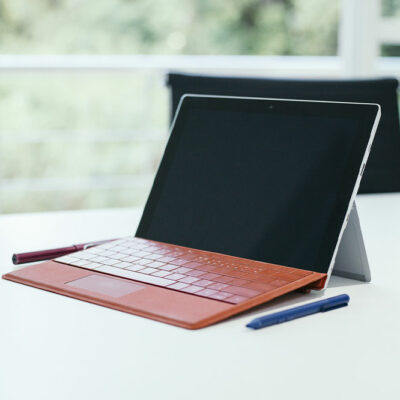
Cyber Monday deals give shoppers a second chance to save during the holiday season. Additionally, you can get expensive gadgets as almost every retailer offers great laptop deals throughout the sale season. You can expect to find discounts on the best laptops in the industry. In some cases, Cyber Monday laptop deals can outperform Black Friday deals. So, here are the best deals on MacBooks, Chromebooks, and Windows laptops you can find on November 28: MacBook Air M1 (256GB) After dropping to $799 during the last Black Friday sale, the 256GB M1 MacBook Air is no longer available for the lowest price. However, this laptop, with Apple’s powerful M1 chip and premium chassis, can carry a $100 discount this Cyber Monday, and you can get it for $899. Microsoft Surface Pro 7+ This Microsoft Surface Pro 7+ comes with the expensive Type Cover accessory for free. It also has an i5 processor, 8GB of RAM, and a 128GB SSD, making it ideal for work and everyday browsing, especially if you want the added portability and flexibility of a Surface device. You can save up to $230 on this laptop. MSI GF65 15.6-inch gaming laptop This is one of the most affordable laptops, and it comes with an RTX 3060 graphics card—an extremely powerful component.
10 Incredible Black Friday Deals to Expect on Laptops in 2023
laptops

10 Incredible Black Friday Deals to Expect on Laptops in 2023

Laptops combine the power of desktops with the portability of smartphones, making them suitable for several tasks. But this is also why they tend to be pricey. Unsurprisingly, many wait for sales like Black Friday to buy the model of their choice. Below are ten types of laptops and the Black Friday 2023 deals one can expect on them in the coming months. The discounts listed are based on last year’s sale and current prices. 1. Dual-screen laptops Unlike older dual-screen models, newer ones are much more efficient and non-gimmicky. They have secondary displays with anti-glare capability that perfectly complement the primary screen. A great option is the ASUS Zenbook Pro Duo UX581. It comes with a 15.6-inch 4K UHD NanoEdge touchscreen glossy main display, a cutting-edge Intel Core i7-9750H Quad Core Processor, and a 14-inch 4K matte touchscreen for seamless scrolling and usability. Last year, Amazon sold specific variants of the Zenbook Pro Duo for a discount of 15% in the run-up to Black Friday. 2. Gaming laptops Gamers need laptops that are responsive, less prone to overheating, and armed with high-end graphics cards. In short, they seek devices that will not leave them high and dry in the middle of a high-octane, graphics-heavy game by being laggy and annoying.
4 mistakes to avoid when using a laptop
laptops

4 mistakes to avoid when using a laptop

A laptop is one of the most convenient devices in the world today. Before laptops, one would not have thought they could carry their “computer” around or work on it without it being plugged into an outlet. But despite offering so much convenience, laptop users often fail to take proper care of their devices and end up making some mistakes that could damage their laptops. Here are a few such mistakes laptop users must avoid. Blocking its vents Since a laptop is a portable device, its users benefit a lot by getting to use it anywhere. However, a lot of individuals are not careful while using the laptop and place it on their pillows or their laps. Doing so blocks the vents of the laptop that are present on its bottom part. This can prevent the heat produced by the processor from escaping, leading to overheating, and can damage the internal components of the device. Therefore, the best way to use a laptop is by placing it on a flat and hard surface like a table. Such surfaces do not block its vents and prevent overheating. Not installing an antivirus software One can not blindly trust the websites that one visits over the internet.

Top Articles

Background Checks and the FCRA – What’s Allowed and What’s Not
Open-Records

Background Checks and the FCRA – What’s Allowed and What’s Not

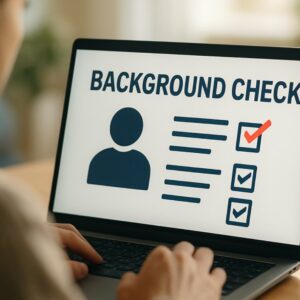
When hiring a new employee, you want to ensure you are making the right choice. One way to do that is to perform a background check. A background check is an excellent tool to verify qualifications and ensure workplace safety. However, running these checks is not as simple as doing a quick internet search. The Fair Credit Reporting Act, or FCRA, regulates how employers gather and use background information. What Is the FCRA? The Fair Credit Reporting Act is a federal law enacted in 1970 to protect consumer privacy and ensure accuracy in background reporting. While it sounds like it only applies to credit cards and loans, it actually covers any background check conducted by a third-party company, known as a Consumer Reporting Agency. If you hire an outside vendor to check a candidate’s criminal records, employment history, or driving record, you are bound by the FCRA. This law gives job applicants specific rights regarding how their personal information is handled and used during the hiring process. What Is Allowed? Employers have a lot of flexibility when it comes to vetting candidates, provided they follow the rules. You are legally allowed to look into several key areas to verify a candidate’s fitness for a role.
How Employee Screening Is Changing With AI
Open-Records

How Employee Screening Is Changing With AI

Imagine sorting through a stack of five hundred resumes for a single job opening. By the time you reach the fiftieth applicant, the words blur together, and your morning coffee has completely worn off. This is the exhausting reality human resources professionals have faced for decades. Fortunately, artificial intelligence is stepping in to simplify this tedious process. It is changing how companies find talent and conduct background checks. Context Over Keywords Modern screening tools utilize natural language processing to understand the deeper context of a resume. Instead of just searching for specific words, the technology evaluates a candidate’s overall career trajectory, skills, and potential. For instance, if an applicant lists experience in managing client relationships, the AI recognizes that this aligns perfectly with a customer success role, even if the exact job title differs. This shift ensures that highly qualified individuals no longer slip through the cracks due to formatting choices. Automated Skills Assessment Based on text analysis, AI is transforming how employers verify capabilities. Interactive, algorithm-driven assessments can now evaluate a candidate’s coding skills, writing aptitude, or situational judgment in real time. These tools adapt their difficulty based on the user’s performance, providing a much more accurate picture of their actual technical strengths before an interviewer ever hops on a phone call.
Key Factors That Affect Background Check Timelines
Open-Records

Key Factors That Affect Background Check Timelines

Background checks are a routine part of hiring, renting, and vetting — but the time they take varies more than most people expect. Some reports are finished in minutes, while others can be delayed for days. That gap isn’t arbitrary. It reflects the complexity of what’s being searched, where the information lives, and how quickly different systems respond. Knowing what drives the timeline helps set realistic expectations from the start. What a Background Check Typically Covers A background check inquires about the authenticity of information provided by a candidate. Factors examined may include education, past employment history, criminal records, motor vehicle or license records, and credit history. Each of these data points may sit in a different database — some centralized and digital, others fragmented across local jurisdictions or held in paper form. The broader the scope, the more sources need to be queried, and that directly affects turnaround time. The Standard Timeline On average, employment background checks conducted through a consumer reporting agency take 3 to 5 business days. That said, this is a general benchmark, not a guarantee. Most checks take one to three days, though some return instantly, while criminal searches typically require one to three days on their own.
5 Things to Look for in a Background Check Tool
Open-Records

5 Things to Look for in a Background Check Tool

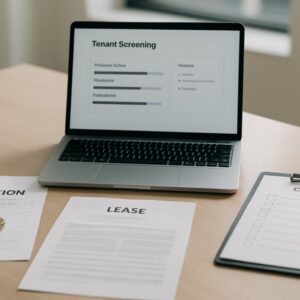
Background check tools have become a practical necessity — whether for employers screening job candidates, landlords vetting tenants, or individuals researching someone’s history. With so many platforms available, picking the right one can feel overwhelming. Not every tool delivers the same depth, accuracy, or legal compliance. Knowing what separates a reliable platform from a mediocre one makes the decision far clearer. Here is what to prioritize when evaluating a background check tool. 1. Depth and Range of Data Coverage The value of any background check tool rests heavily on the breadth of its data sources. A strong platform pulls from multiple databases — criminal records, court filings, address histories, employment verifications, and more — rather than relying on a single source. Shallow tools may miss critical records simply because they lack the reach. Before committing to any platform, confirm it accesses verified, legally sourced data across the categories most relevant to the intended use. Public vs. Proprietary Data Some tools rely purely on publicly available records, while others supplement these with proprietary databases. The combination typically yields more complete results — particularly for records that are harder to access through standard public channels. Neither approach is inherently better, but knowing which one a tool uses helps set realistic expectations.